.svg)




As third-party cookies fade and privacy restrictions tighten, client-side tagging is losing reliability fast, and server-side tagging is emerging as the default architecture for teams that want accurate analytics, faster performance, and stronger compliance.
Yet, not every tool tackles these challenges the same way. Some are built for flexibility and developer control, while others prioritize simplicity, privacy, and managed reliability.
In this article, we compare 7 of the best server-side tagging tools for 2026, ranging from open-source frameworks to all-in-one managed solutions, so you can find the one that best suits your technical resources, data maturity, and compliance priorities.
What is the best server-side tagging tool in 2026?
Here’s how some of the best server-side tagging solutions on the market compare (for an overview with a comparison table, scroll down to the end of the list):
Addingwell by Didomi: All-in-one, privacy-first platform for effortless server-side tagging

Addingwell is a fully managed, European-built server-side tagging platform designed for reliability, compliance, and simplicity. It offers a robust infrastructure hosted on Google Cloud (multi-zone, CDN, auto-scaling) with 99.99% uptime. Its intuitive interface and guided setup make server-side tagging accessible even without DevOps expertise.
Average review scores
- Trustpilot: 4,8/5 (68 reviews)
- Shopify App Store: 5/5 (6 reviews)
Pros
- Ultra-high-performance managed infrastructure: Fully managed infrastructure with a global CDN and real-time monitoring, including a 99.99% uptime guarantee.
- Intuitive onboarding and user interface: Simple Setup and a user-friendly dashboard
- Clear, step-by-step documentation: Our comprehensive documentation guides users through every stage of their server-side tagging journey.
- Premium support for all customers: Premium, high-quality support is included for all customers with no tiered service levels.
- Compliance: Strong GDPR compliance and full consent audit trail
- Free sandbox and pay-as-you-go pricing: Addingwell offers a free testing environment and flexible pricing model.
- Proactive support and automated alerts: Users appreciate the alert system that notifies customers if a tag does not reach 100% success, enabling rapid incident detection.
Cons
- Cost: Higher pricing than entry-level or self-hosted alternatives, reflecting the fully managed, enterprise-grade nature of the platform.
Best for
Global companies seeking a turnkey, privacy-first, and reliable server-side tagging solution with enterprise-grade support from day one.
Stape: A Flexible entry-level tool for developers at a lower cost
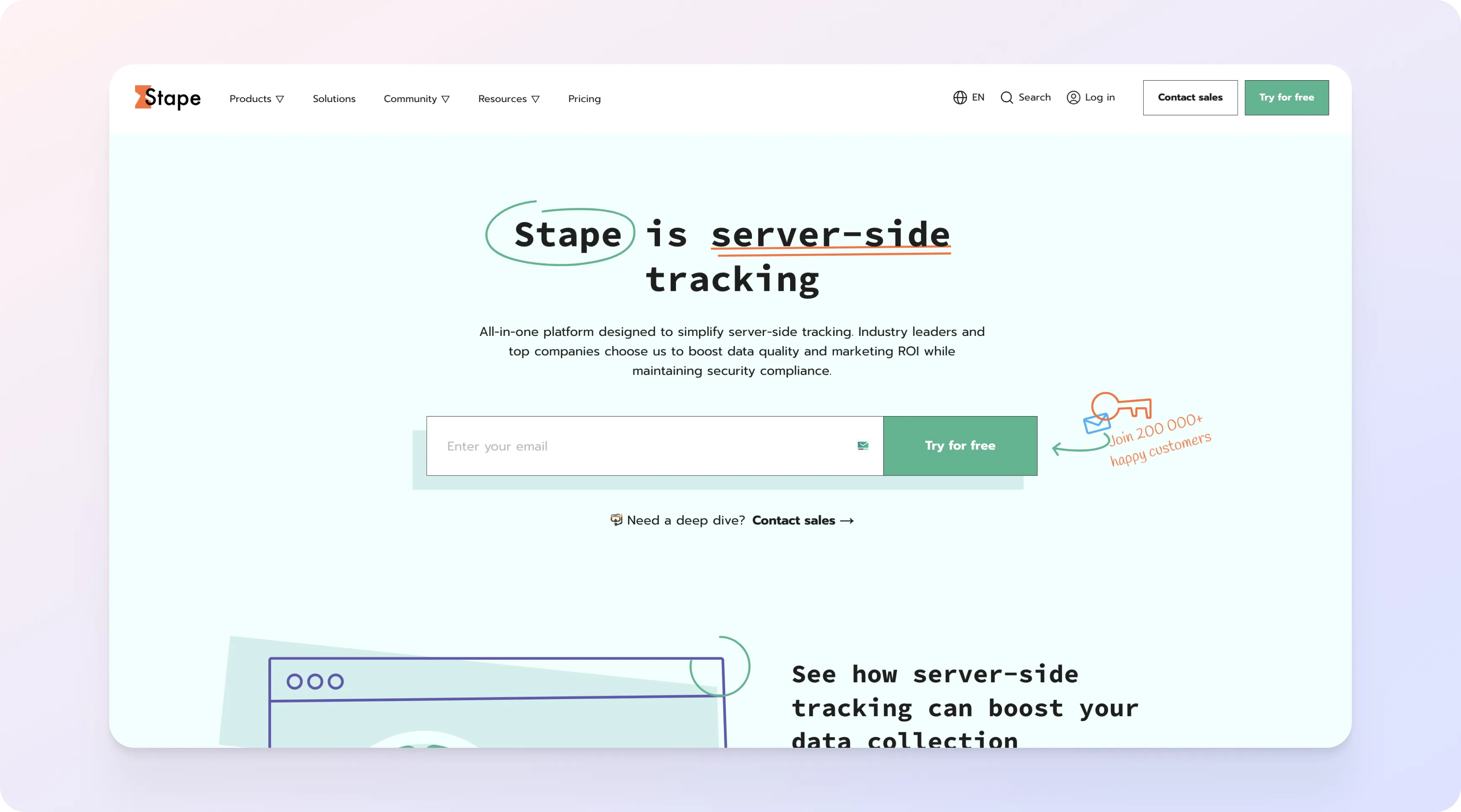
Stape is a popular choice for smaller teams or technical users who want a flexible, affordable setup for GTM Server-Side. It offers a solid infrastructure with dedicated servers, DNS proxy, and custom CDN options.
Average review scores
- G2: 3,7/5 (3 reviews)
- Trustpilot: 4,5/5 (145 reviews)
Pros
- Price-performance ratio: Good value for small- and mid-sized teams seeking affordable server-side capabilities.
- Extensive template library: Dozens of pre-built integrations covering major advertising platforms and affiliate networks.
- Extensive certifications: A solid set of industry certifications that reassures privacy-focused teams.
- EU-based hosting: Reviews have praised the fact that the infrastructure is hosted in the European Union.
- Help center: The documentation and Help Center have been reported as useful by confirmed users, offering clear guidance and practical troubleshooting resources.
Cons
- Learning curve: Some users have found the interface too technical, hinting that it may not be ideal for marketing or non-technical teams.
- Customer support: Some online reviews have highlighted encountering difficulties with obtaining support for their issues.
- Pricing: No free trial is included, and the free plan offers limited resources.
Best for
Technical teams or agencies that can handle DevOps and compliance on their own but need flexibility and scalability.
TAGGRS: Affordable European alternative for straightforward tagging
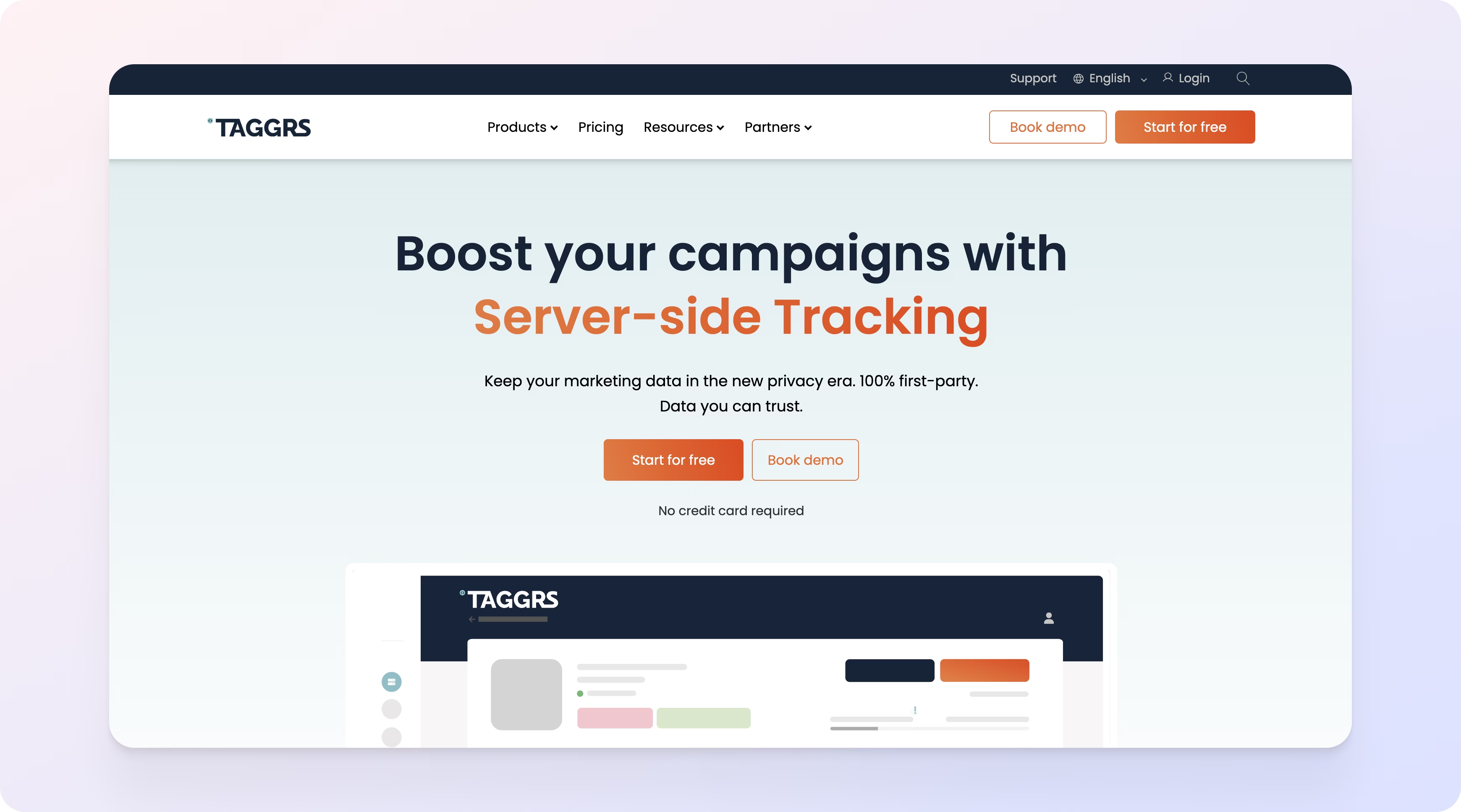
TAGGRS is a simple, European-made server-side tagging tool. It works with Google Tag Manager, including client- and server-side containers, and can host your sGTM container, though it doesn't require GTM to get started. That makes it an easy way to begin server-side tagging without complex infrastructure.
Average review scores
- G2: 5/5 (1 review)
- Trustpilot: 4,7/5 (37 reviews)
Pros
- EU-based infrastructure: Servers fully hosted in the European Union, supporting GDPR compliance and strict data residency requirements.
- Interface and setup: The platform offers a user-friendly UI and straightforward configuration, making quick deployments possible.
- Own server infrastructure (not GCP-dependent): Runs on its own EU-based infrastructure rather than relying on Google Cloud Platform, appealing to privacy-focused teams.
- Pricing: Simple, predictable pricing structure with a free tier suitable for small websites, early-stage projects, or testing environments.
Cons
- Lacks advanced features: Feature set remains limited compared to more mature server-side platforms with extensive tool ecosystems.
- No real-time monitoring: Does not offer native real-time monitoring dashboards or alerting capabilities.
- Manual data layer setup: The data layer must be built and maintained manually, which can slow down deployments and increase implementation complexity.
- Adding integrations requires ongoing development: Reviews have shown that adding new integrations to TAGGRS often means recurring development work.
Best for
Small European businesses or startups looking for an affordable, compliant, and easy-to-use tool.
Elevar: Go-to server-side companion for Shopify analytics
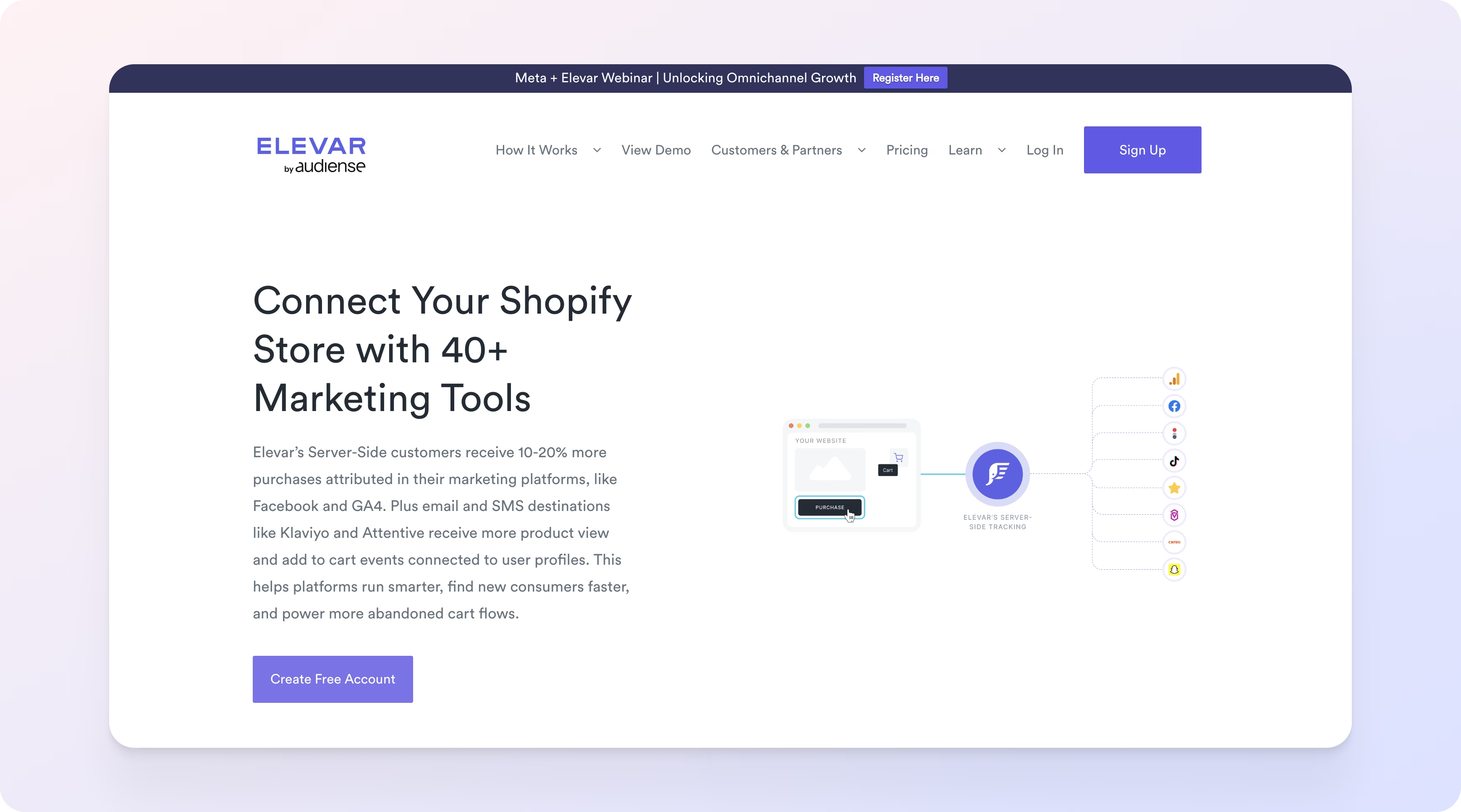
Elevar focuses on simplifying tagging for e-commerce brands, especially Shopify users. It automates event mapping, quality alerts, and data integrations.
Average review scores
- G2: 5/5 (2 reviews)
Pros
- Shopify integration: The platform offers a deep integration with Shopify, including checkout events and event mapping tailored to e-commerce use cases.
- Alerts and monitoring: The tool offers built-in alerting to notify merchants when tagging breaks or key events stop firing as expected.
- Visual event and tag management: Visual tools let you manage events, tags, and funnels directly in the interface, reducing reliance on manual code changes.
- Integrations: Elevar offers a wide range of prebuilt integrations
Cons
- Support and billing: Some customers report poor support, billing issues, slow or unhelpful support, repeated upsells instead of clear answers, and frustration with ongoing charges after uninstall or cancellation.
- Learning curve: Some users describe the interface as technical and unintuitive, with a configuration process that requires strong analytics or development expertise.
- Setup and onboarding costs: Some customers report high onboarding and integration fees that don’t always match the perceived performance uplift.
Best for
Shopify merchants who want automated, no-code tagging with built-in alerts and analytics.
Tracklution: German-built solution for compliance and server-side control
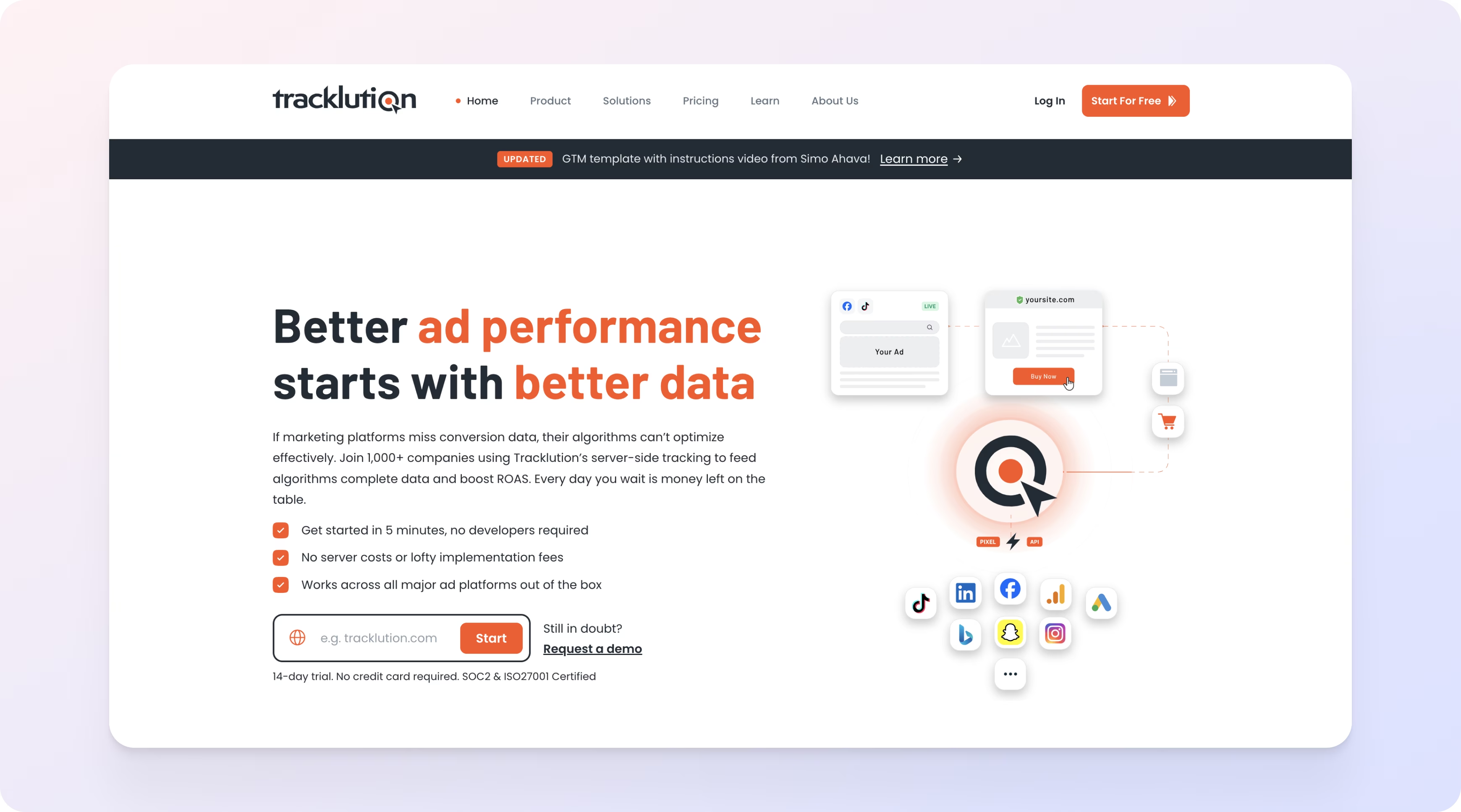
Tracklution is a German tool combining server-side tagging and consent management for regulated industries.
Average review scores
- G2: 5/5 (3 reviews)
- Trustpilot: 4,1/5 (13 reviews)
Pros
- CMP + Server-side: The tool provides consent management and server-side tagging.
- Plug-and-Play installation: No complex setup required.
- 30-day free trial: Tracklution offers a 30-day free trial to evaluate the tool.
Cons
- Basic transformation logic: Event transformation and data manipulation options are more limited than those in advanced server-side tools.
- Customer support: Some users have reported inconsistent support experiences with responses that can be unhelpful or lack sufficient depth for complex issues.
Best for
Privacy-conscious European organizations that value compliance over ease of use.
Metarouter: Enterprise-grade data routing engine for complex pipelines

Metarouter is an enterprise-grade platform built for large-scale data orchestration. It acts as both a server-side tagging layer and a data pipeline engine.
Average review scores
- G2: 4,7/5 (25 reviews)
- Capterra: 4,8/5 (4 reviews)
Pros
- Enterprise data ecosystem integration: The tool is designed to plug into large-scale data stacks and integrate deeply with CDPs, data warehouses, and custom real-time data pipelines.
- CDP compatibility: MetaRouter integrates with Customer Data Platforms.
Cons
- Testing environment: Several G2 reviewers note that setting up or accessing a proper testing/sandbox environment is challenging and slows down validation.
- Limited number of turnkey integrations: According to Capterra reviews, the out-of-the-box integration catalog is smaller than those of other options, requiring custom engineering to support many destinations.
Best for
Large data-driven enterprises needing complex, scalable infrastructure for multi-channel event processing.
Littledata: Plug-and-play analytics layer for Shopify and BigCommerce stores

Littledata automates server-side tagging for Shopify and BigCommerce stores. It’s designed to simplify analytics setup for marketers.
Average review scores
- G2: 4,7/5 (58 reviews)
- Capterra: /5 (x reviews)
- Sourceforge: /5 (x reviews)
Pros
- Shopify & BigCommerce integration: Littledata integrates natively with major e-commerce platforms, enabling accurate tagging without extensive development.
- Clear documentation: Reviewers consistently highlight the value of helpful onboarding and comprehensive documentation.
- Built-in monitoring and pre-configured templates: The tool features real-time tagging validation, pre-built event templates, and QA tools.
Cons
- Limited use cases: The tool is designed exclusively for online stores, making it unusable outside Shopify, BigCommerce, and subscription-based models.
- Customer support: Some customers report severe issues, including unresponsive support and delays in timely assistance.
- Pricing: Several users mention that Littledata becomes expensive very quickly as usage grows.
- No breakdown by traffic channels: Reviewers point out that Littledata does not clearly distinguish traffic channels in its tagging outputs, which limits marketing attribution analysis.
Best for
Shopify or BigCommerce merchants who want a plug-and-play server-side solution with built-in analytics and monitoring.
Honorable mentions
Other avenues are available for organizations aside from these dedicated tools to implement server-side tagging:
- Privacy platforms: All-in-one CMP and tagging solution focused on compliance, rather than engineering depth. These include Usercentrics and Commanders Act, among others.
- Google Cloud Platform (self-hosted sGTM): DIY, engineering-heavy setup that gives maximum flexibility, deep Google ecosystem integrations, and complete data/infrastructure control, but with significant DevOps complexity and no native UI.
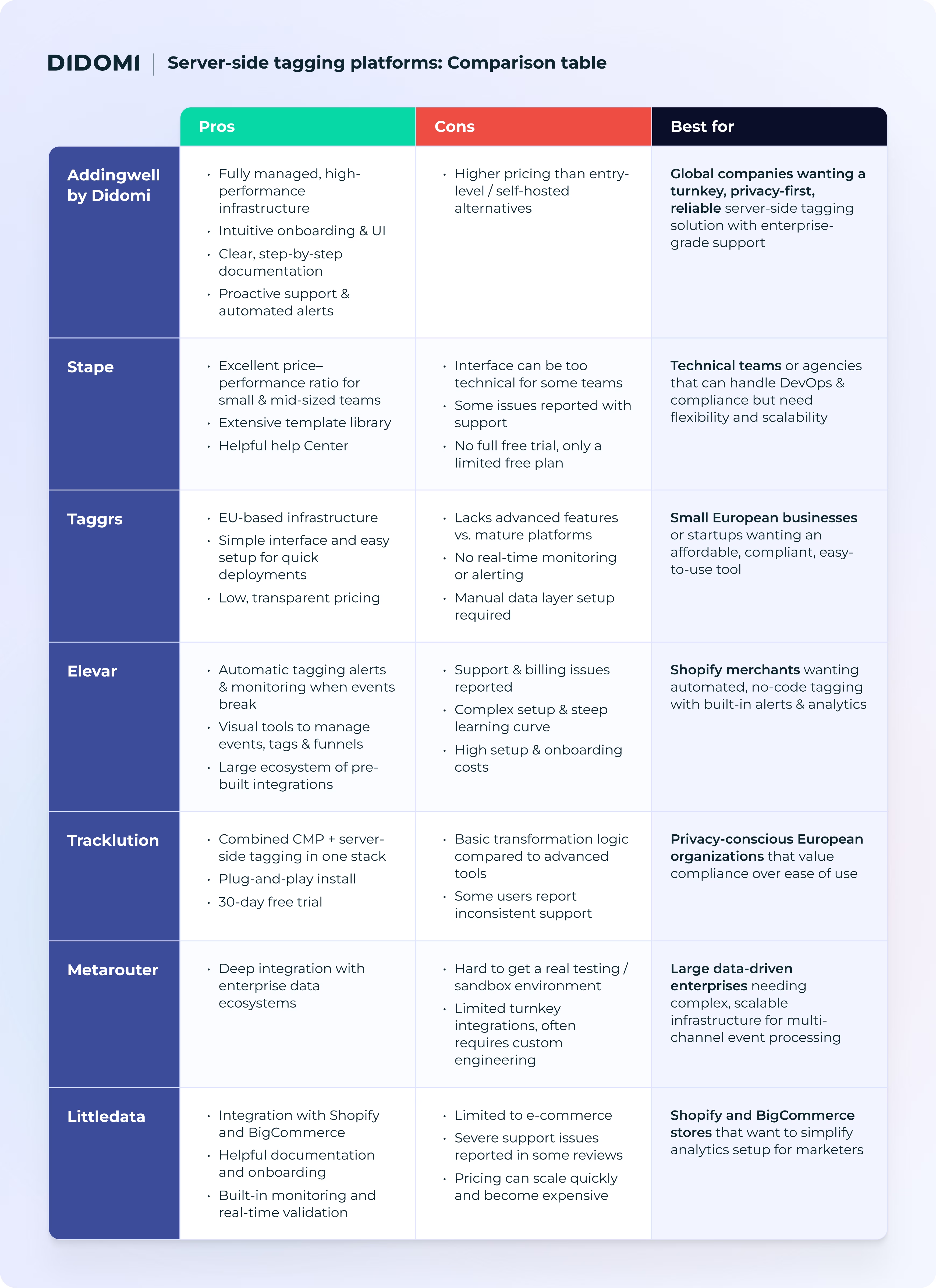
For organizations that are serious about server-side tagging, we recommend selecting a dedicated tool. Take a look at our comparative overview for a high-level summary of your options.
Server-side tagging platforms: Comparison table
Why invest in server-side tagging in 2026?
Bringing it back to the foundation behind this comparison, it’s essential for you and your organization to understand why you should even consider implementing a server-side tagging tool. It’s a perfect storm, from the overarching privacy context to the very practical challenges faced by marketers today:
- Future-proofing your stack: Whether Google officially ends third-party cookies in Chrome or not, the industry is moving on. Server-side tagging, along with first-party data collection and activation, is becoming a cornerstone of modern data strategies in response to this profound change.
- Fixing broken attribution and data loss: Browsers block or delay tags, and ad blockers delete scripts. Server-side tagging routes event flows through your domain, reducing signal loss and restoring complete visibility.
- Boosting performance and user experience: Offloading tagging logic to servers reduces client-side scripts, speeds page loads, and improves Core Web Vitals.
- Implementing effective compliance and consent management: With server-side architectures, you can enforce consent logic centrally, filter or anonymize data before sending to vendors, and ensure consent lineage is preserved.
Implementing server-side does require investment in infrastructure, engineering, and ongoing monitoring. However, for teams serious about data reliability, performance, and privacy, the benefits are substantial.
Server-side tagging requires companies to develop new skills in data collection. But this should be seen as an opportunity to improve performance while meeting user expectations and adapting to the new restrictions imposed by web browsers. With fast infrastructure and real-time monitoring, tools like Addingwell make it easier to implement this collection method.
- Lucas Dorot, Analytics and tagging Consultant at DigitaLinkers by Equancy (source: The future of tagging is server-side. Here's why.)
To get some background about server-side tagging and how it fits within your overall digital marketing strategy and stack, check out our webinar with Jellyfish on the topic.
Checklist: How to select the best server-side tagging platform for your business?
Choosing a server-side tagging platform comes down to aligning technical capacity with privacy and performance goals. Use this checklist to guide your evaluation:
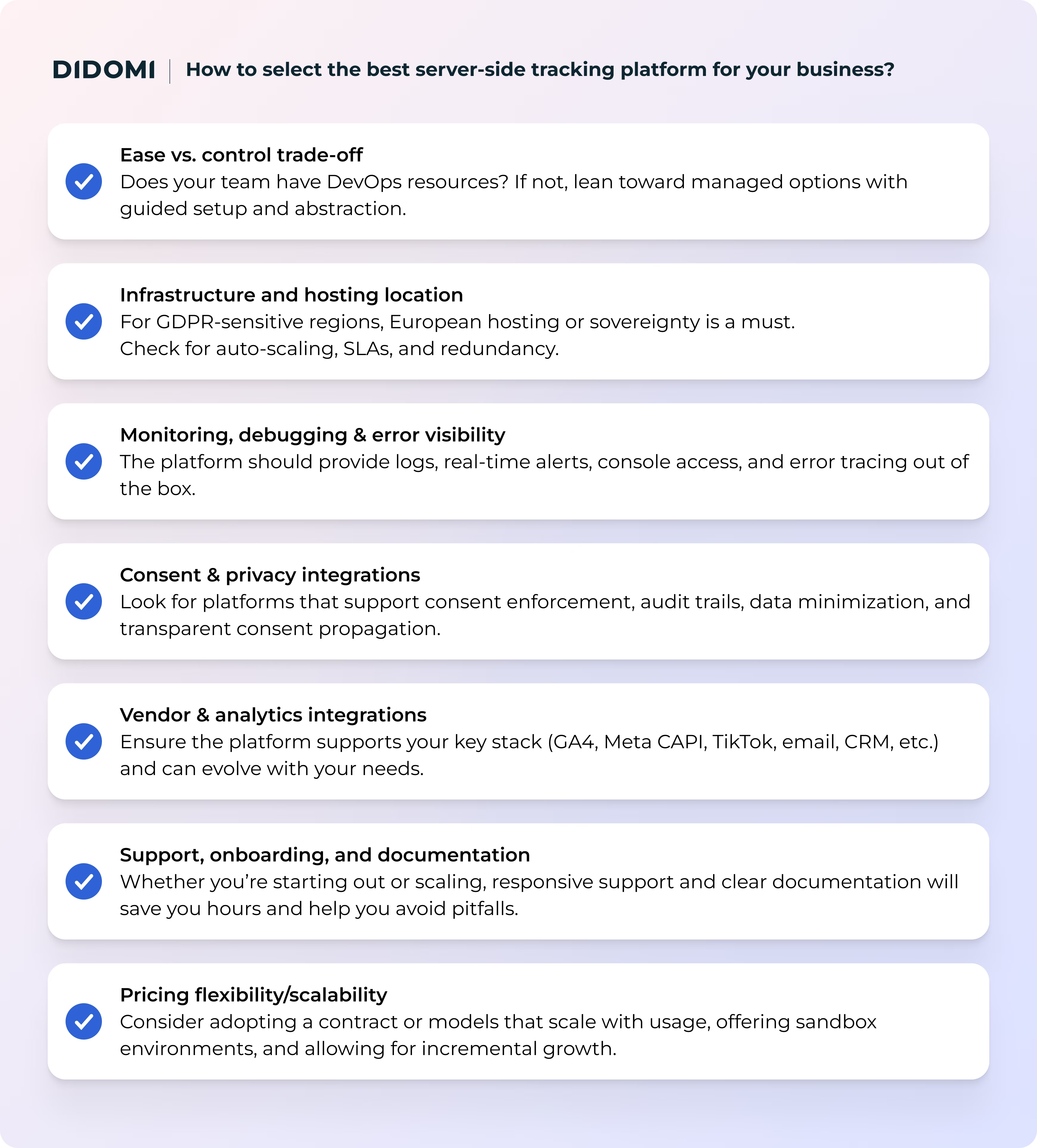
Using this checklist, compare each vendor (listed in our table above) to determine which aligns best with your team, compliance needs, and growth goals.
Getting started with server-side tagging with Addingwell by Didomi
You should now have a comprehensive understanding of the server-side tagging options available. With Addingwell by Didomi, we believe that we offer a compelling set of solutions and benefits for modern organizations looking to adopt server-side tagging:
- 99.99% uptime SLA across multi-region, auto-scaling infrastructure
- Free sandbox plan (up to 100,000 requests) to try out the whole platform before committing
- Built-in Tag Health monitoring & real-time alerting on tag failures or anomalies
- Ability to proxy scripts and bypass ad blockers via first-party loading
- Reverse proxy & custom DNS capabilities (e.g., to mitigate ITP or DDoS)
- Multi-region deployment and region resilience (automatic rebuilds if a zone fails)
- Detailed logs, data monitoring, cookie monitoring, and error-tagging tools out of the box
Curious to see how Addingwell by Didomi could simplify your move to server-side tagging? Discover our solutions and book a call with our team today:
{{discover-addingwell-by-didomi}}
Frequently Asked Questions (FAQ)
What is server-side tagging?
Server-side tracking is a data-collection method in which user events (page views, conversions, purchases, etc.) are first sent to a server you control, rather than sent directly from the user’s browser to third-party vendors.
From there, the data is validated, filtered, enriched, or anonymized before being forwarded to analytics, advertising, or marketing tools. This approach improves data reliability, performance, and privacy control compared to traditional client-side tracking. Learn more in our article about what server-side tagging is.
How does server-side tracking work?
In a server-side setup, the user’s browser sends events to a first-party endpoint (your server or a managed server-side tagging platform). That server applies business logic, such as consent checks, transformations, or data routing, before forwarding events to destinations like Google Analytics, Meta, or other tools.
This architecture reduces browser interference, limits exposure to ad blockers, and centralizes control over data flows.
Is server-side tagging legal?
Yes, server-side tagging is legal, but only if it complies with applicable privacy regulations such as GDPR, ePrivacy, CCPA, and other regional laws.
Server-side tagging does not remove consent obligations. Organizations must still collect valid user consent where required, respect user choices, minimize data collection, and ensure transparency.
In practice, server-side tracking can improve compliance by enforcing consent logic centrally and reducing uncontrolled data sharing.
What are the benefits of server-side tagging compared to client-side tagging?
Server-side tagging offers several advantages over client-side tagging, including improved data accuracy, reduced data loss from ad blockers or browser restrictions, faster page load times, and stronger control over privacy and consent enforcement. It also allows teams to future-proof their tracking strategy as browser limitations continue to increase.
Do I need developers to implement server-side tagging?
It depends on the solution you choose. Self-hosted or open-source server-side tagging setups usually require strong DevOps and analytics engineering skills. Fully managed platforms abstract most of the infrastructure and complexity, making server-side tagging accessible to marketing and analytics teams with minimal developer involvement. The trade-off is typically cost versus control.
Can server-side tagging bypass ad blockers?
Server-side tagging can reduce the impact of ad blockers by routing data through first-party domains instead of third-party scripts.
However, it should not be viewed as a way to bypass user consent or privacy expectations. Ethical implementations ensure that data is processed and forwarded only when valid consent is provided, even if ad blockers are less effective.
How do I choose the right server-side tagging tool for my business?
The right tool depends on your technical resources, data maturity, compliance requirements, and scale: Small teams may prioritize simplicity and predictable pricing, while larger organizations may need advanced routing, monitoring, and enterprise integrations.
Evaluating infrastructure reliability, consent handling, monitoring capabilities, and support quality is just as important as feature depth or price. Book a time with one of our experts to discuss your needs and whether we could help:
{{talk-to-an-expert}}